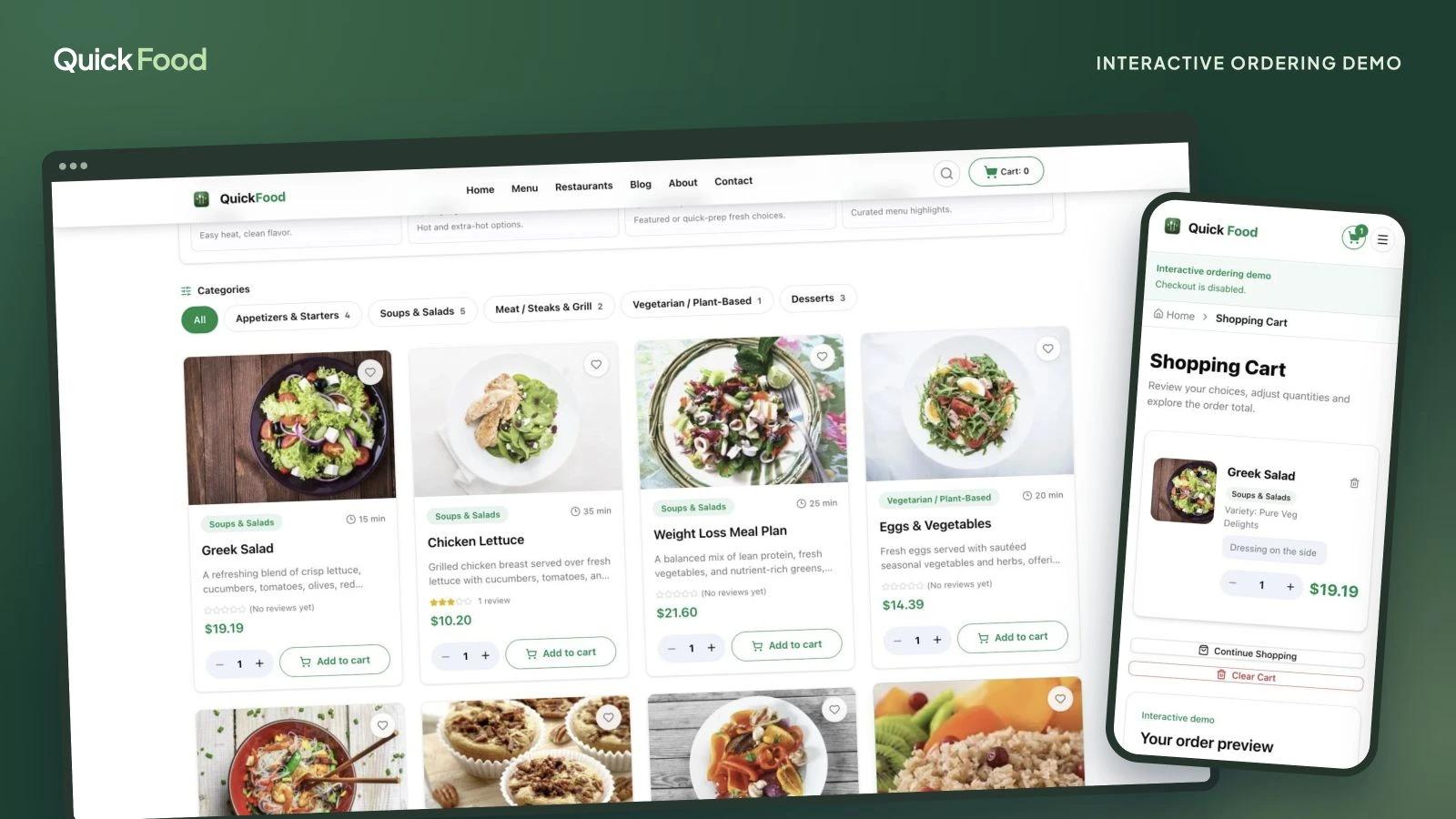
Quick Food is my independent Next.js ordering sandbox, with menu search, meal customization and a persistent cart. My hands-on work covers catalog validation, cart behavior and reliable menu discovery in the local build.
Independent product · Ordering sandbox
My role
Product owner & engineering contributor
Focus
Menu · Customization · Cart & checkout
Context
2026 – Present · Ordering sandbox
Desktop menu and mobile cart captures from the local build, presented in device frames with example menu content.
The workflow
From the menu to a cart that keeps your choices.
Three views of the same ordering journey, captured from the local build: browse the menu, customize a meal and review the cart without an account.
01
Browse the menu.
The menu brings food photography, descriptions, prices and add-to-cart controls into one place. Open a meal for more detail before choosing what to add.
Choose a quantity and variety, then add special instructions. Those choices appear in the cart, so the visitor can review what they selected before continuing.
Change quantities, remove an item and return to the menu. The cart persists after reload. Review the example total without an account; this local sandbox ends at the cart, with checkout disabled.
A browser-supplied price is not a reliable checkout total. I changed the server flow to read current item prices and availability before creating the order.
Technical detail+
The checkout handler looks up the food IDs in Sanity, rejects missing or unavailable items and invalid prices, then uses the catalog values for order totals and Stripe line items.
02
Keep customizations on the right line.
Two of the same meal can need different preparation notes. I included those notes in the cart identity and passed them through to the order record.
Technical detail+
Cart item identity includes the food, size, variety and instructions. The checkout handler normalizes and bounds instructions before saving them. In the local build, the chosen variety and note show up in the cart.
03
Make quantity changes predictable.
Reducing a quantity from two to one should keep the item. I repaired that behavior and reviewed the responsive ordering flow.
Technical detail+
The repaired store removes an item only when the requested quantity is below one or invalid. The current implementation also caps quantities and persists the cart locally. Desktop and mobile checks cover quantity changes, reload persistence and removal.
My contribution
Product direction, focused implementation and review.
I own the product direction and contribute hands-on engineering. Collaborators built much of the storefront; my direct work includes checkout validation, cart customization, deployment fixes and review.
Added server-side catalog price and availability checks before creating the order and Stripe Checkout session.
Fixed cart item identity so different instructions stay on separate lines, and carried those instructions into the order record.
Fixed quantity updates so reducing a cart item to one keeps it in the cart.
Owned product direction and reviewed collaborators’ work, with hands-on deployment fixes, contact request rate limiting and responsive UI QA.